AI Photos That Look Authentic: The CMeIn Methodology
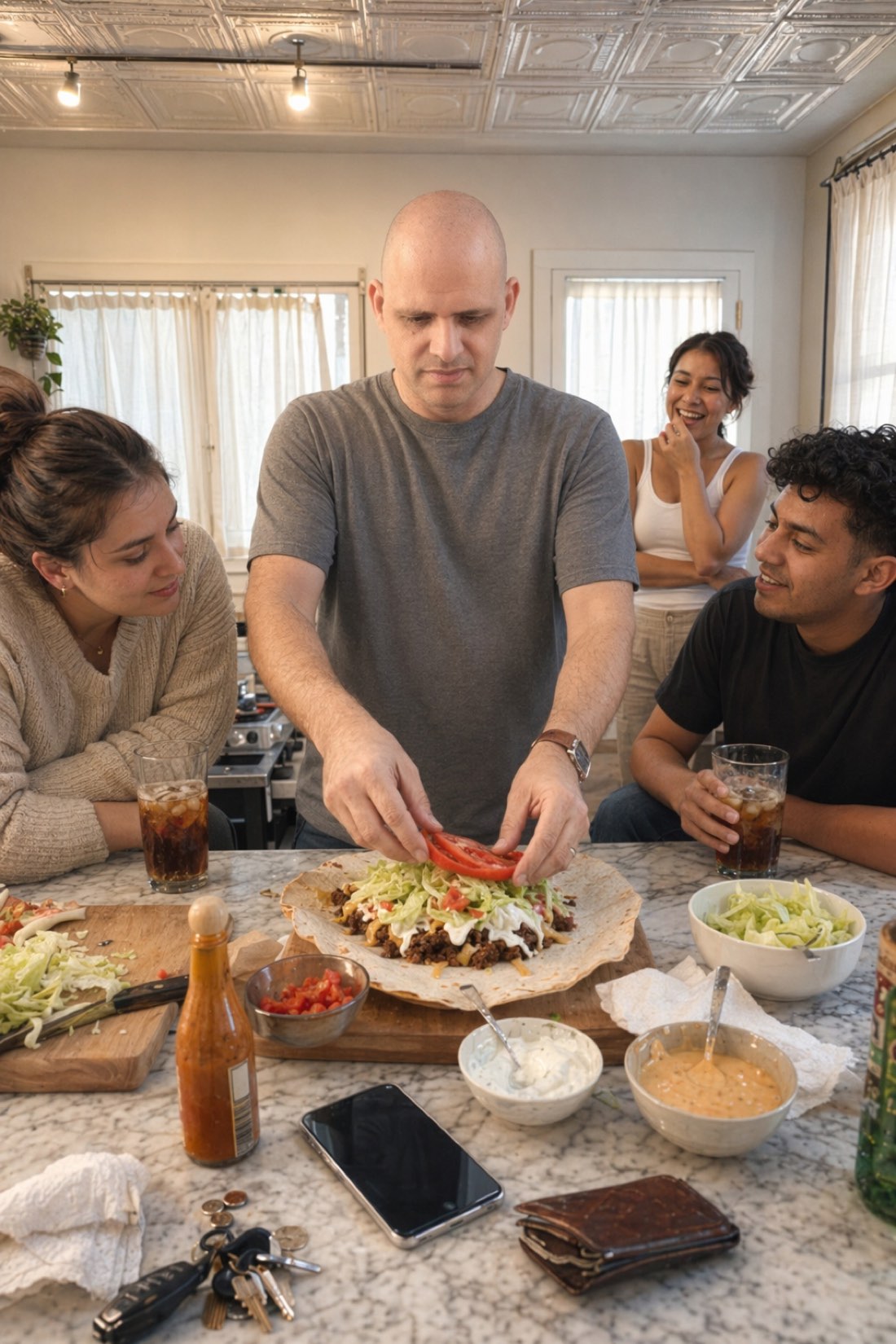
Most AI photos fail one simple test: they do not look real. The skin is too smooth, the lighting is too perfect, the face is a little too symmetrical, and something about it just reads as generated. That fake quality is not bad luck. It is the default behavior of tools tuned to make people look idealized rather than real.
Authenticity is the opposite. It is a set of deliberate choices, and it is the entire thing CMeIn is built around. Here is what actually makes an AI photo look authentic, and the method we use to get there.
Why most AI photos look fake
Before the fix, the failure. Most generators are tuned to flatter, and flattery is what gives them away. The common tells:
- Beautified faces. Skin smoothed to plastic, jaw and nose subtly reshaped, eyes widened, everything nudged toward a generic attractive average. The person stops looking like themselves.
- Studio gloss. Perfect three-point lighting and a glamour finish that no candid photo ever has.
- Hero framing. The subject centered, posed, and lit like the only thing that matters in the frame.
- A subject that out-resolves the scene. The face is sharper, cleaner, and brighter than everything around it, which never happens in a real photo.
Each of these is a small lie, and together they add up to an image that is unmistakably AI.
The CMeIn methodology
Authenticity is what you get when you deliberately refuse to do all of the above. These are the principles CMeIn is built on.
1. Likeness over beauty
The first and most important rule: keep the real person. CMeIn preserves your actual features, proportions, and natural asymmetry instead of improving them. It will not make you younger, slimmer, or more model-like. The goal is you on a good day, not a better-looking stranger, because only the real you survives meeting someone in person.
2. Candid over staged
Real photos look caught, not posed. CMeIn generates candid moments in real settings, natural light, an unposed feel, the look of a photo a friend took, rather than a stiff studio portrait with a frozen camera-smile. That candid quality is one of the biggest differences between a photo that reads as real and one that reads as generated.
3. The subject belongs in the scene
In a real photograph, everything goes through one camera at once, so the subject is not magically cleaner than the background. CMeIn keeps that consistency: your face, skin, and clothing share the same lighting, focus, and texture as the rest of the scene. No subject-only polish, no face that floats on top of the image.
4. Real framing, not a hero pose
Authentic photos are not always centered portraits. CMeIn frames you as a natural part of a scene, often off-center and full-figure, the way real candid photos actually look, instead of a posed, centered hero shot. That framing alone makes an image feel genuine.
5. Imperfection is kept, not erased
Real skin has texture. Real faces have slight asymmetry. Real light is uneven. CMeIn keeps those small imperfections rather than scrubbing them out, because they are exactly what the eye reads as "real."
How to tell if an AI photo is authentic
Whatever tool you use, run results through these checks:
- Does it still look like you? The single most important test. If someone who knows you would hesitate, it is over-processed.
- Skin and hands: natural texture, intact hands, no waxy or melted areas.
- Lighting: matches the setting, no glamour glow.
- Expression: relaxed and natural, not a frozen pose.
- The subject vs the scene: you should not look sharper or cleaner than everything around you.
Pass all five and you have an authentic photo. Fail any and it will read as fake to anyone paying attention.
Your part: good references in
The method only works with good input. Authentic output starts with clear, recent reference photos in good light where your full face is visible, taken a normal distance away rather than as extreme close-up selfies. Skip heavy filters, since they carry over and undermine the realism. Give the AI an honest read on your face and it can keep you honest in the results.
See the difference
The fastest way to understand authentic AI photos is to look at them.
- Browse the public examples and notice how they read as real moments, not renders.
- Ready to make your own? Check the credit packs and start with a few clear reference photos.
Related reading: AI Photos for Online Dating: Authenticity vs. Enhancement, AI Photo Generator From Selfie: Why Realism Is the Whole Point.