Realistic AI Photos of Yourself in Exotic Locations
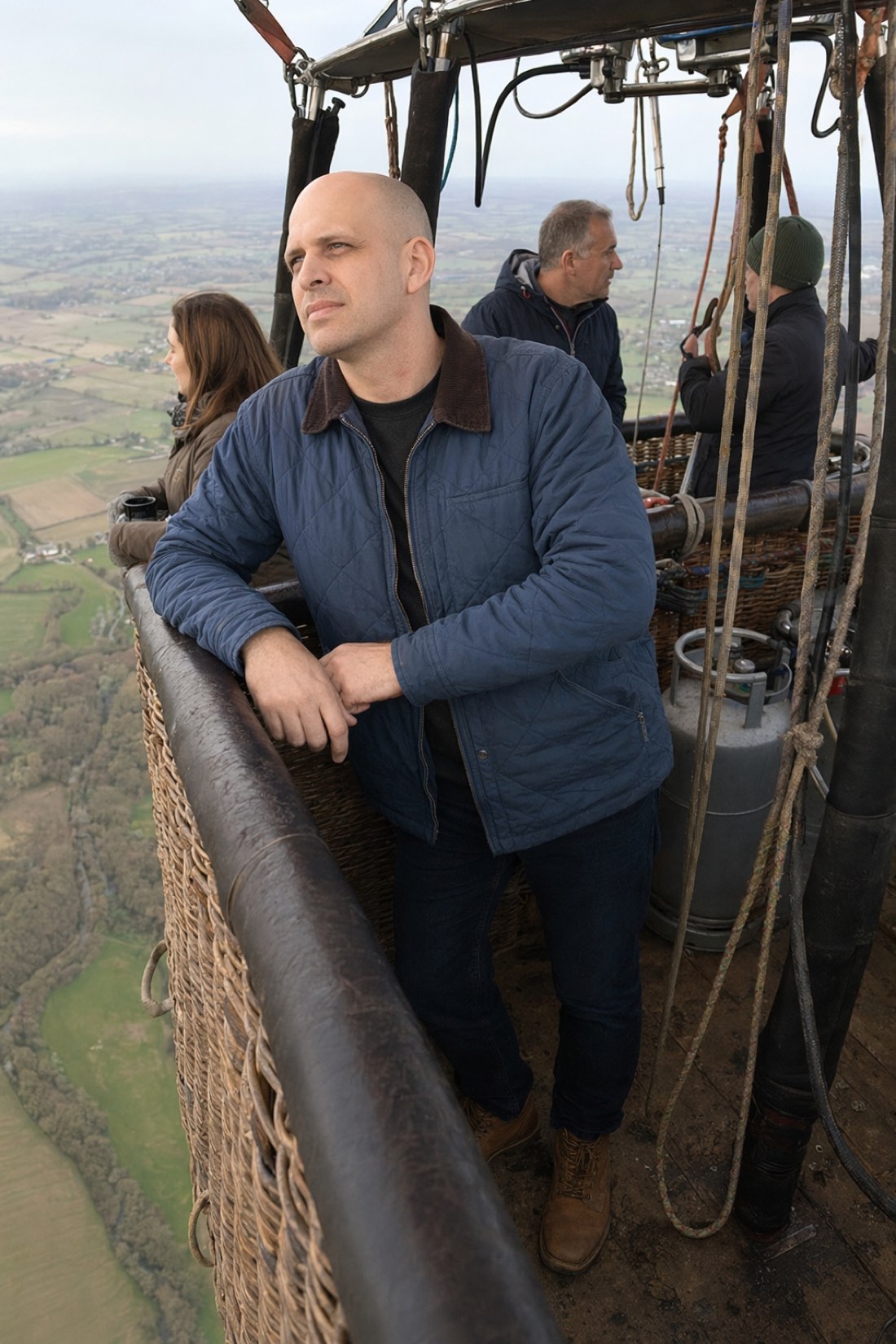
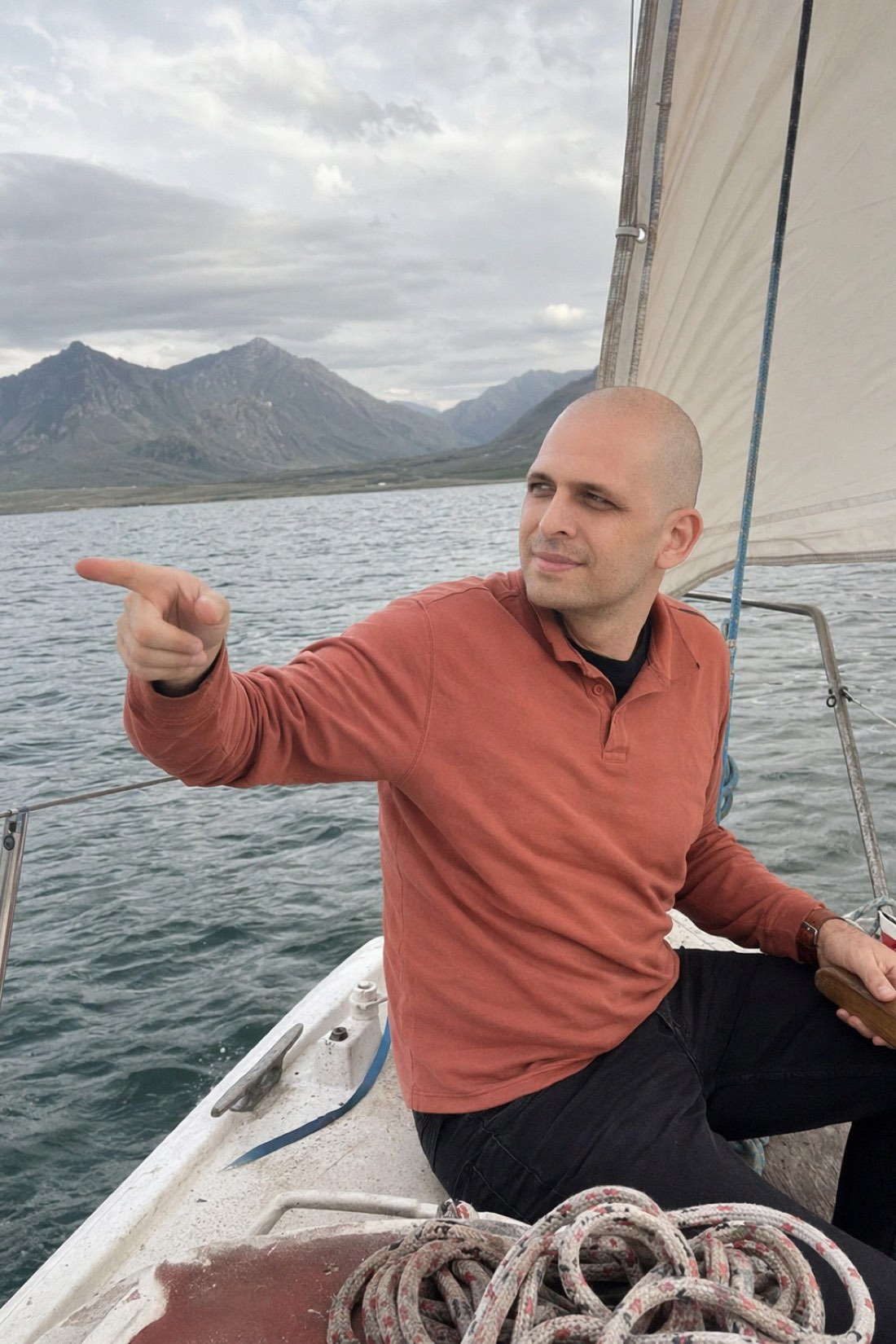
There is a specific kind of photo people want and almost never have. You, somewhere striking. On a boat below a mountain range, drifting over green fields in a balloon, relaxing at a beach club a long way from home. The places exist, the time and money to get there often do not, and even when you go, nobody is there to take a good photo of you.
Realistic AI photos close that gap. You give the AI a few clear photos of yourself, pick a setting, and get back photos of you there that actually look like you. The whole thing hinges on that last part, so let us talk about what real looks like and how to get it.
Why realism is the entire point
It is easy to generate a photo of a person in an exotic place. It is much harder to generate a photo of you that still looks like you. Most tools quietly trade your likeness for a more polished, more generic, better-looking face, and the result is a good-looking stranger standing where you wanted to be.
That defeats the purpose. A photo of yourself is only worth anything if people, including you, recognize it as you.
CMeIn is built the other way around. It keeps your real features, proportions, and natural look instead of idealizing them, so the person in the balloon or on the boat is recognizably you, not an upgrade of you.
What separates a real-looking photo from a fake one
A believable photo of yourself somewhere new has a few quiet markers.
Your real face and proportions, kept intact rather than smoothed into someone else. Natural skin texture instead of a waxy, airbrushed surface. Lighting that matches the scene, so you look like you belong in it rather than pasted on. And a candid feel, like the moment was caught, rather than a stiff studio pose dropped into a landscape.
When you look over results, check the usual giveaways. Hands, the edges where you meet the background, and whether your face looks oddly cleaner or sharper than everything around you. A good result blends in. A bad one floats on top of the scene.
Where these photos shine
A few uses come up again and again.
Travel content for your feed when you have not traveled lately. Trying bucket-list scenes you have not reached yet. Fun photos that simply look great, like an adventure shot you can use as a profile picture. And variety, since you can put yourself in several very different places in one session.
How to get the best results
Your output is only as good as what you give it. A few habits make a big difference.
Upload several recent photos that look like you now. Use good, even light with your full face clearly visible. Favor photos taken a normal distance away rather than extreme close-up selfies, which distort your proportions. And skip mirror selfies, heavy filters, sunglasses, and blurry shots, since they hand the AI a poor read on your face.
Clear, recent, unfiltered, full-face references are what let the AI keep your likeness while it changes the world around you.
A note on honesty
These photos are a creative tool, and the honest move is to treat them that way. Using a realistic AI photo of yourself on a boat as a fun image, a profile picture, or content is perfectly fine. Passing it off as a real trip you took is where it gets misleading. Realism here means the photo looks believable, not that anyone is being fooled.
Try it
If you want striking photos of yourself in places you have not been, and you want them to actually look like you, that is exactly what this does.
See real results in the public examples, then check the credit packs and start with a few clear reference photos.
Related reading: AI Generated Photos for Social Media, Create a Virtual AI Photo Shoot.