AI Photos When You Have Tattoos
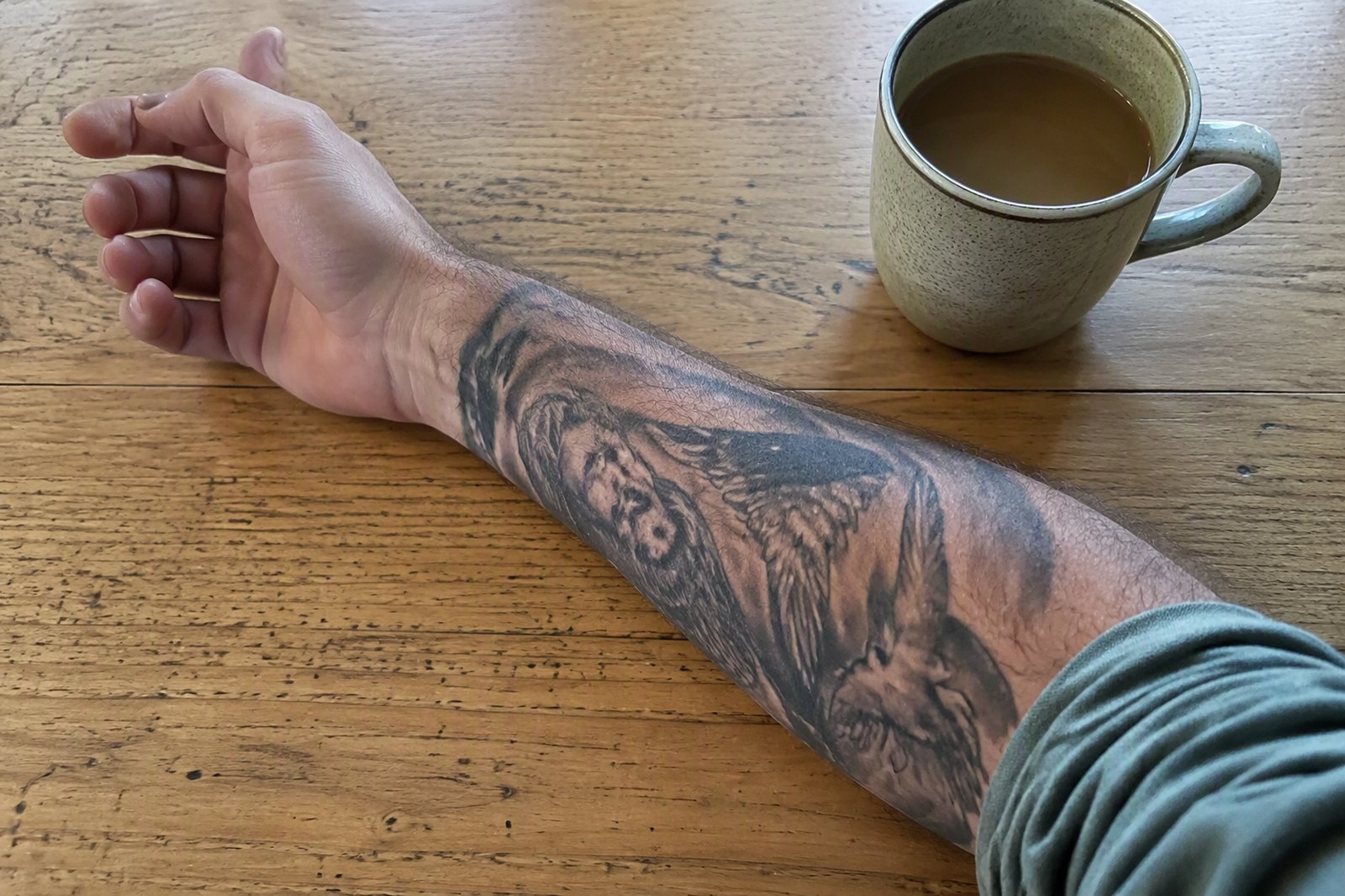
A reviewer of a large AI headshot tool, in the middle of what was otherwise a positive review:
"I would love if the editing options weren't so expensive. I have tattoos so I need to edit all pictures that show my arms to be long sleeve."
She liked the photos. She still had to pay to fix every one of them, because the tool could not handle the thing on her arm.
This is one of the least-discussed failure modes in AI photography and one of the most predictable, and it is worth understanding before you buy rather than after.
Why tattoos are specifically hard
An image model does not copy. It generates something consistent with what it saw.
For a face, that mostly works — you gave it eight photographs from different angles, so it has a great deal of evidence about the shape of your nose. For a tattoo, it usually has one or two partial views of a design it has never seen, and it has to produce that exact drawing rather than something in the spirit of it.
It cannot. So it produces ink of about the right density, in roughly the right palette, in approximately the right place, drawing something else.
The failure is worse the more specific the design:
Lettering fails almost every time. Text is the hardest thing for image models generally, and a tattooed name or date comes back as convincing-looking letterforms that spell nothing.
Fine linework blurs. Delicate botanical or geometric work turns into a smudge with the right silhouette.
Faces in tattoos become different faces. A portrait tattoo of someone you love comes back as a stranger, which is the version of this that upsets people most.
Large solid blackwork survives best, because there is less specific information to get wrong.
The part that costs money
Here is why this shows up in reviews attached to a complaint about price.
Most of these tools let you edit results — change the clothing, cover the arms, swap the outfit — and most of them charge credits for it. So the customer with tattoos pays once for a batch, discovers the ink is wrong in every photo showing skin, and then pays again, per photo, to put sleeves on.
The tool did not do anything malicious. But the pricing model and the technical limitation combine into a surcharge that only applies to people with body art, and nobody mentions it before purchase.
What to do instead
Choose scenes that cover it. This is the boring answer and by far the most effective one. If your tattoos are on your arms, pick scenes with long sleeves, jackets or coats — outdoors in autumn, a jacket in a city street, anything where covered arms are natural rather than imposed. The question never arises and you pay nothing extra.
Or let it be small in frame. A tattoo occupying forty pixels cannot be wrong in any way anyone will notice. Wider scenes where you are further from the camera are much more forgiving than close portraits.
Do not upload only tattooed close-ups. If most of your reference photos foreground the ink, you are drawing the model's attention to the one thing it cannot reproduce.
And check before you commit. If a tool shows you an example image for each scene — and it should — you can see exactly how much skin that scene shows before you spend anything on it.
What we do, and what we do not
We do not claim to reproduce tattoos accurately. Nobody in this category can, and a tool that promised it would be promising something the underlying models do not do.
The instruction that goes with every generation preserves the face: features, skin tone, beard, hairline, age, structure. That is where the likeness lives and that is what it protects. It says nothing about body art, because holding a specific design is not something the instruction can make happen.
What we can give you is the choice. Every scene shows you a real example image before you pick it, matched to your gender where we have one — so what you are wearing, and how much arm is showing, is visible up front rather than discovered in the results. If you have ink you would rather not see approximated, you can simply choose scenes that cover it, at no extra cost, because you chose it rather than editing it afterwards.
The short version
AI tools approximate tattoos rather than reproducing them, and the more specific the design the worse it goes. Lettering and portraits fail hardest; heavy blackwork survives best.
The cheap fix is scene selection, not editing. Pick a jacket, or stand further back — and be wary of any tool that charges you per photo to put a sleeve on something it got wrong.