Professional Profile Pic: How to Create the Right Image

Your professional profile pic serves as the first handshake in a digital world where initial impressions form within milliseconds. Whether you're building a LinkedIn network, establishing credibility for your business, or creating connections on professional platforms, the quality and presentation of your profile image directly influences how others perceive your competence, trustworthiness, and approachability. This single photograph carries significant weight in determining whether someone chooses to connect with you, hire you, or trust your expertise.
The Science Behind Professional Profile Images
Research consistently demonstrates that profile photographs influence decision-making far beyond what most people realize. A study from Carnegie Mellon University found that Airbnb hosts who smiled in their profile photos received significantly more bookings, revealing how expression alone can drive tangible business outcomes. The same principles apply across professional contexts.
Your brain processes facial images faster than any other visual information. Within 100 milliseconds of viewing a professional profile pic, observers form judgments about your competence, likability, and trustworthiness. These snap judgments create a halo effect that colors every subsequent interaction, making your profile image one of the most strategic assets in your professional toolkit.
What Makes a Profile Picture "Professional"
The definition of professional has evolved considerably from the stiff, formal corporate headshots of previous decades. Today's professional profile pic balances approachability with competence, authenticity with polish. Several core elements distinguish effective professional images:
- Sharp focus and proper lighting that highlights your features without harsh shadows
- Appropriate framing with your face occupying 50-70% of the frame
- Clean, uncluttered backgrounds that don't compete for attention
- Genuine expressions that convey warmth and confidence
- Current appearance that matches how you look today
Professional doesn't necessarily mean expensive photography equipment or studio sessions. It means intentional choices about composition, lighting, and presentation that position you as someone worth taking seriously.

Platform-Specific Considerations
Different platforms serve different purposes, and your professional profile pic should adapt accordingly while maintaining consistency in your core presentation.
LinkedIn and Professional Networks
LinkedIn maintains specific profile photo guidelines that go beyond technical requirements. The platform recommends professional attire, a clear view of your face, and an image that represents how you'd appear at work. LinkedIn profiles with photos receive 21 times more profile views and 36 times more messages than those without images.
For maximum effectiveness on professional networks:
- Dress one level above your typical work attire to signal competence without seeming unapproachable
- Face the camera directly rather than at an angle to project confidence and openness
- Use a simple, professional background such as a solid color or subtle office environment
- Ensure your face is well-lit from the front to avoid unflattering shadows
The LinkedIn Business blog offers practical tips specifically tailored to creating images that perform well on their platform, including guidance on expression and positioning that aligns with professional networking goals.
Business Websites and Author Bios
When your professional profile pic appears on a company website, client proposal, or published article, it carries the weight of organizational credibility. These contexts often require slightly more formal presentation than social platforms while still maintaining approachability.
| Context | Recommended Style | Key Consideration |
|---|---|---|
| Executive team page | Formal business attire, neutral background | Consistency with other team members |
| Author bio | Smart casual, can show personality | Alignment with content tone |
| Consultant profile | Professional but approachable | Trust-building for client relationships |
| Speaker page | Confident, engaging expression | Conveying expertise and stage presence |
Technical Requirements and Optimization
Even a well-composed professional profile pic loses impact if technical execution falls short. Understanding file formats, dimensions, and optimization ensures your image appears crisp across all devices and platforms.
Resolution and File Size
Modern displays range from standard screens to high-resolution retina displays, requiring images that scale gracefully. Most platforms recommend uploading the highest quality image they accept, then relying on their compression algorithms. However, understanding image optimization for web performance helps you balance quality with loading speed.
Recommended specifications:
- Minimum resolution: 400 x 400 pixels
- Optimal resolution: 1000 x 1000 pixels or higher
- File format: JPEG for photographs (best compression), PNG for graphics with transparency
- File size: Under 2MB for most platforms, ideally 500KB or less
Services like CMeIn's image compressor help reduce file sizes while maintaining visual quality, ensuring your professional profile pic loads quickly without sacrificing clarity.
Accessibility Considerations
Professional profile pictures should be accessible to all users, including those with visual impairments. The W3C provides comprehensive guidance on making images accessible through proper implementation of alternative text and semantic markup.
When uploading your professional profile pic, write descriptive alt text that conveys the same information a sighted user would receive. For example: "Professional headshot of Sarah Chen, marketing director, wearing navy blazer against gray background." The Section 508 guidance on alternative text offers detailed frameworks for writing meaningful descriptions that serve users relying on screen readers.
Creating Your Professional Profile Pic
The process of creating an effective professional profile pic involves strategic decisions about setting, styling, and expression before you ever press the shutter button.
Lighting: The Foundation of Quality
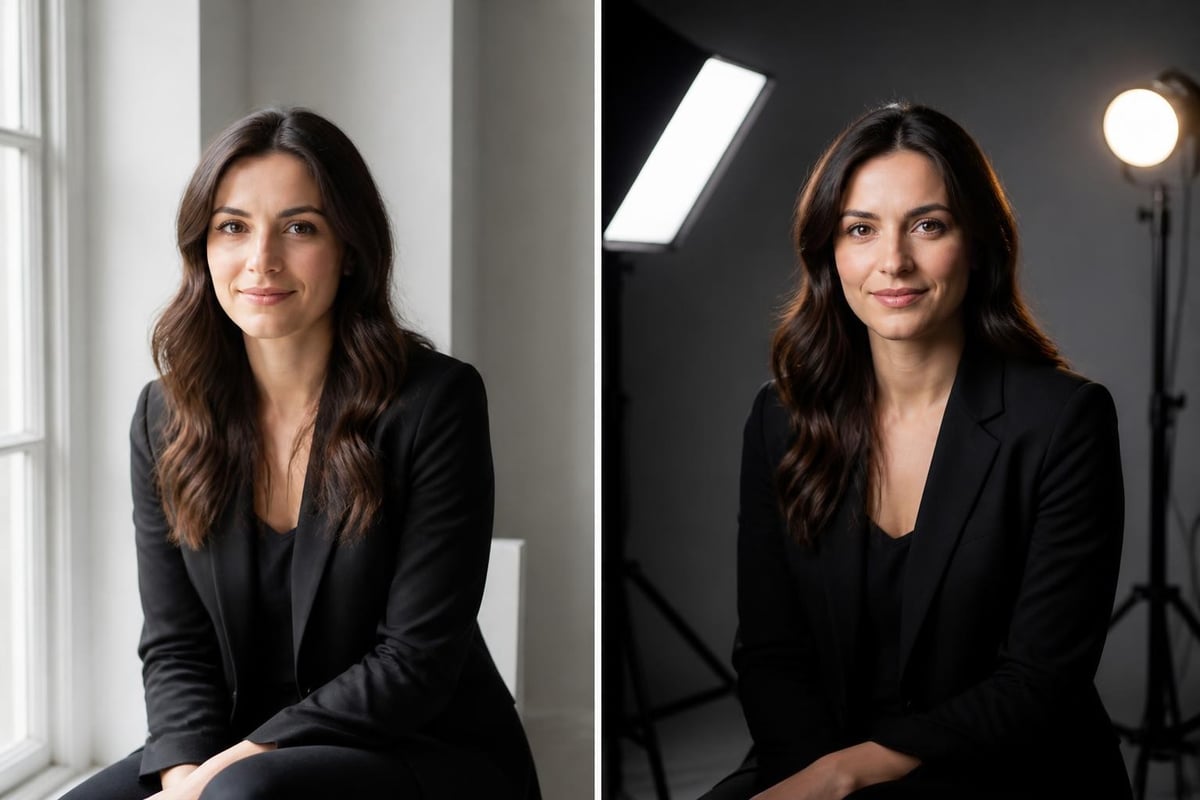
Lighting quality distinguishes amateur snapshots from professional-grade images. Natural light from a large window provides the most flattering illumination for most people, creating soft shadows and even skin tones. Position yourself facing the window with the light source slightly to one side rather than directly behind the camera.
For artificial lighting setups:
- Use soft, diffused light sources rather than harsh direct light
- Position your main light at a 45-degree angle from your face
- Add a fill light on the opposite side to soften shadows
- Include a backlight to separate yourself from the background
Even smartphone cameras produce excellent results with proper lighting. The quality of light matters far more than camera equipment in determining how professional your final image appears.
Expression and Body Language
Your expression in a professional profile pic communicates volumes about your personality and approachability. Research on facial expressions in professional contexts reveals that subtle, genuine smiles consistently outperform both serious expressions and broad grins. A slight smile that reaches your eyes conveys warmth and confidence without seeming unprofessional.
Body language details that matter:
- Shoulder positioning: Angled slightly toward the camera rather than perfectly square creates a more dynamic, engaging composition
- Chin level: Slightly lowered chin avoids appearing to look down on viewers while preventing unflattering double-chin shadows
- Eye contact: Looking directly at the camera creates connection; looking slightly off-camera can appear more thoughtful for certain contexts
- Posture: Straight but relaxed spine projects confidence without stiffness
Wardrobe Choices
Clothing selection for your professional profile pic should align with your industry standards while expressing your personal style within appropriate boundaries. Solid colors typically photograph better than busy patterns, which can create visual noise and distract from your face.
Professional wardrobe strategies include wearing colors that complement your skin tone, avoiding pure white or black which can create exposure challenges, and choosing necklines that frame your face attractively. For those unsure about optimal clothing choices, exploring different style options helps identify what photographs well on your specific features and body type.
Maintaining Your Professional Image Across Platforms
Consistency in your professional profile pic across platforms strengthens brand recognition and builds trust. When someone encounters you on LinkedIn, your company website, and professional social media, seeing the same (or very similar) professional image creates cohesion and reinforces your identity.
The Consistency Strategy
Maintaining identical professional profile pictures across all platforms offers the strongest recognition value. However, slight variations tailored to platform culture can also work effectively if they maintain your core visual identity.
| Approach | Benefits | Considerations |
|---|---|---|
| Identical image everywhere | Maximum recognition, simplified management | May not optimize for each platform's culture |
| Variations on a theme | Platform-appropriate while maintaining identity | Requires managing multiple images |
| Updated set every 1-2 years | Keeps appearance current, refreshes presence | Need coordination across platforms simultaneously |
Professional profiles that use consistent imagery across channels see higher connection rates and better engagement. People remember faces more readily than names, making visual consistency a powerful professional branding tool.
When to Update Your Profile Picture
Your professional profile pic should represent your current appearance. Outdated photos create disconnect when you meet people in person or on video calls, potentially damaging the trust your profile image worked to establish. Plan to update your professional profile pic when:
- Your appearance changes significantly (hairstyle, facial hair, glasses, weight)
- You transition to a new professional role or industry
- Your current image is more than two years old
- Image quality looks dated compared to current standards
For professionals in visual industries or those with substantial online presence, annual updates help maintain relevance and show attention to detail that reflects positively on your professional standards.
AI-Generated Professional Photos
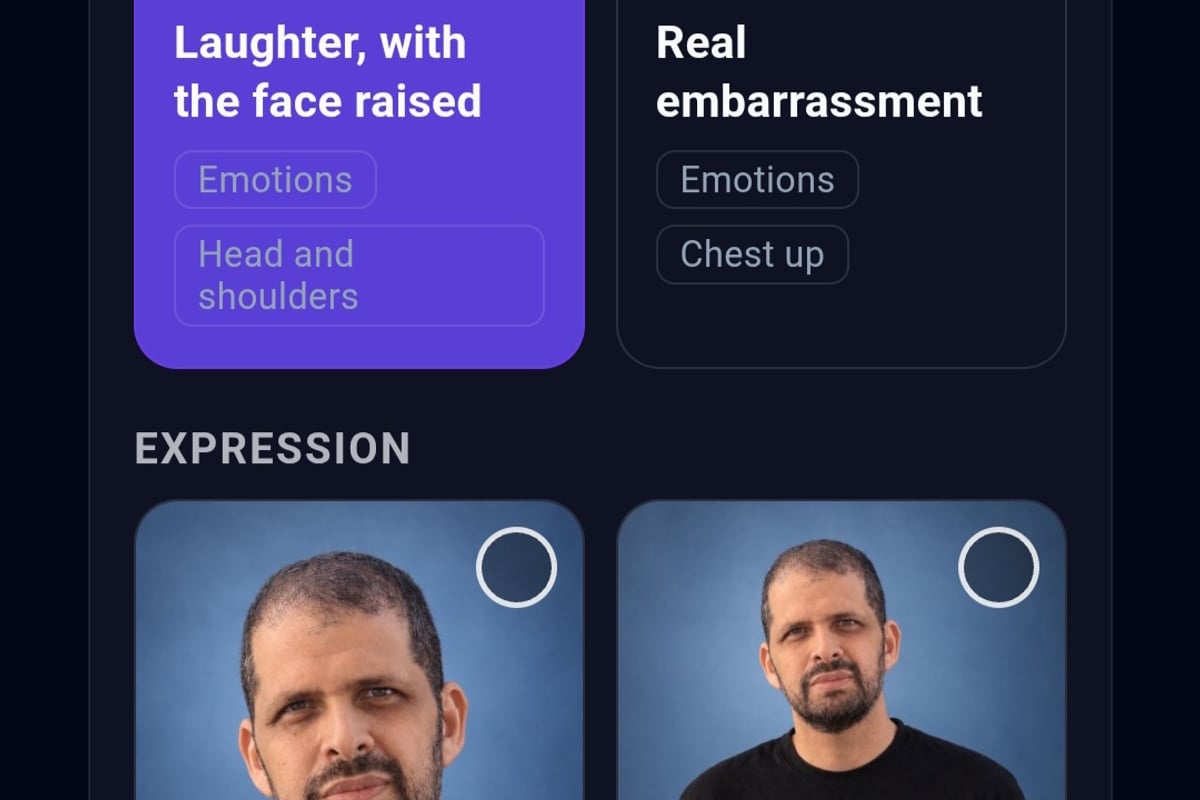
Technology has democratized access to professional-quality profile images through AI photo generation that maintains your authentic likeness across different scenes and presentations. Unlike traditional retouching that alters your appearance, modern AI photo services like CMeIn create realistic images that preserve your unique features while placing you in professional settings.
The advantage of AI-generated professional photos lies in efficiency and flexibility. Rather than scheduling photography sessions for each needed variation, you can generate multiple professional profile pictures from reference photos, exploring different backgrounds, lighting conditions, and presentations while maintaining your authentic appearance. CMeIn's approach to AI headshot generation emphasizes keeping your face exactly as it is, providing clean, professional images without artificial enhancement.
When considering AI-generated options for your professional profile pic, prioritize services that maintain realism and avoid over-polished results that signal inauthenticity. Your goal is a professional image that accurately represents you, not an idealized version that creates expectations you can't meet in person.

Common Mistakes to Avoid
Even with good intentions, many professionals undermine their image through preventable errors in their profile pictures. Understanding these pitfalls helps you create more effective professional imagery.
Technical Errors
Poor image quality remains the most common technical mistake. Blurry, pixelated, or poorly cropped images suggest carelessness that extends to professional work. Other technical issues include incorrect aspect ratios that crop faces awkwardly on certain platforms, excessive filters that create unrealistic skin tones, and inadequate lighting that obscures facial features.
Critical technical mistakes:
- Using group photos where you're difficult to identify
- Employing heavy filters that distort your actual appearance
- Choosing images where you're wearing sunglasses or hats that obscure your face
- Uploading low-resolution images that appear grainy or blurry
- Selecting photos with distracting backgrounds that compete for attention
Inappropriate Content Choices
The line between personality and unprofessionalism varies by industry, but certain choices consistently undermine credibility. Selfies taken at arm's length with visible arms in frame appear less professional than properly framed headshots. Casual vacation photos, party images, or photos with other people cropped out signal lack of investment in your professional presentation.
Professional contexts require images that put your face and expression center stage without competing elements. Even in creative industries where personality matters, your professional profile pic should demonstrate intentionality and appropriate judgment about platform context.
Industry-Specific Guidance
Different professional fields maintain varying expectations for profile image presentation. Understanding your industry's norms helps you create a professional profile pic that resonates with your specific audience.
Corporate and Finance
Traditional corporate environments expect formal business attire, neutral backgrounds, and serious or subtly pleasant expressions. Conservative industries like law, banking, and consulting favor dark suits, solid-color backgrounds, and straightforward presentation that emphasizes competence and trustworthiness over personality.
Creative and Technology
Creative professionals and technology industry workers typically have more latitude for personality in their professional profile pictures. These fields value authenticity and individuality, allowing for more expressive styling, interesting backgrounds, and casual business attire. However, even in creative contexts, image quality and intentional composition remain essential.
Healthcare and Education
Healthcare providers and educators benefit from professional profile pictures that balance authority with approachability. White coats for medical professionals, professional but not overly formal attire for educators, and warm expressions that invite trust serve these relationship-based professions well.
Understanding how to present yourself visually within your field's expectations requires observation of successful professionals in your industry and adaptation to your specific role and goals.
Maximizing Your Profile Picture's Impact
Beyond creating a technically sound professional profile pic, strategic deployment across platforms and contexts amplifies your professional presence and opportunities.
Profile Completion Strategy
Your professional profile pic works in concert with other profile elements to create a complete professional identity. Platforms with incomplete profiles receive significantly less engagement than those with complete information. Ensure your profile includes:
- High-quality professional profile pic
- Complete professional summary or bio
- Relevant work experience and accomplishments
- Skills and endorsements (where applicable)
- Contact information appropriate to the platform
A strong professional profile pic draws attention to your profile, but comprehensive information converts that attention into connections, opportunities, and professional relationships.
Testing and Refinement
Professional branding benefits from data-driven iteration. Many professionals create multiple versions of their professional profile pic and test performance across contexts. LinkedIn's analytics show profile views and engagement, helping you assess whether profile changes increase visibility.
Consider creating variations that test different expressions, backgrounds, or styling choices. Compare performance over time to identify which presentation resonates most effectively with your target audience. This evidence-based approach to your professional image ensures continuous improvement rather than relying on assumptions about what works.
The investment in your professional profile pic yields returns through increased visibility, better first impressions, and more meaningful professional opportunities. As professional interactions increasingly occur in digital spaces before any in-person meeting, your profile image serves as ambassador, introducing you to opportunities and connections that shape your career trajectory.
Your professional profile pic represents more than just a photograph; it's a strategic tool that opens doors and builds the foundation for professional relationships before any conversation begins. When you need professional images that authentically represent you across various contexts without the time and expense of traditional photography sessions, CMeIn generates realistic AI photos that maintain your exact likeness while placing you in professional settings that elevate your presence. Get started creating professional images that truly look like you and match the quality your career deserves.