AI Image Gen Guide for Realistic Likeness Photos

AI image gen turns text prompts or reference photos into new pictures, and for likeness photos the reference photos matter far more than the prompt. If your goal is dating or professional images that look like you in person, choose a tool that anchors to your real face, not one that invents a generic person from a description.
That distinction shapes everything that follows. General-purpose generators such as text-to-image apps are built for illustration, product mockups and concept art. Likeness-focused generation has a narrower job: keep your face recognizable, place it in believable scenes, and avoid the polish that makes a photo feel staged. This guide walks through how the technology works, what to feed it, how to judge results, and how to use the images responsibly.
What does ai image gen actually do?
AI image gen is software that produces new images from instructions, reference images, or both. Most systems start from random visual noise and refine it step by step until the result matches the request, guided by patterns learned from very large image collections.
There are three common modes, and they behave differently:
- Text to image: you describe a scene in words and the model invents everything, including any people in it.
- Image to image: you supply a picture and the model alters it, changing style, lighting or background.
- Reference-based generation: you supply several photos of a real person, and the model builds new scenes around that person's face and features.
Only the third mode is designed for likeness. A text-only prompt cannot describe your jawline, the spacing of your eyes or the way you smile with enough precision to reproduce them. The photos do that work.
Why do some AI photos look nothing like the person?
AI photos drift away from the real person when the model has too little identity information or too much freedom to improve on it. Text prompts alone, a single low-quality reference, and aggressive stylization all push the output toward an average, idealized face.
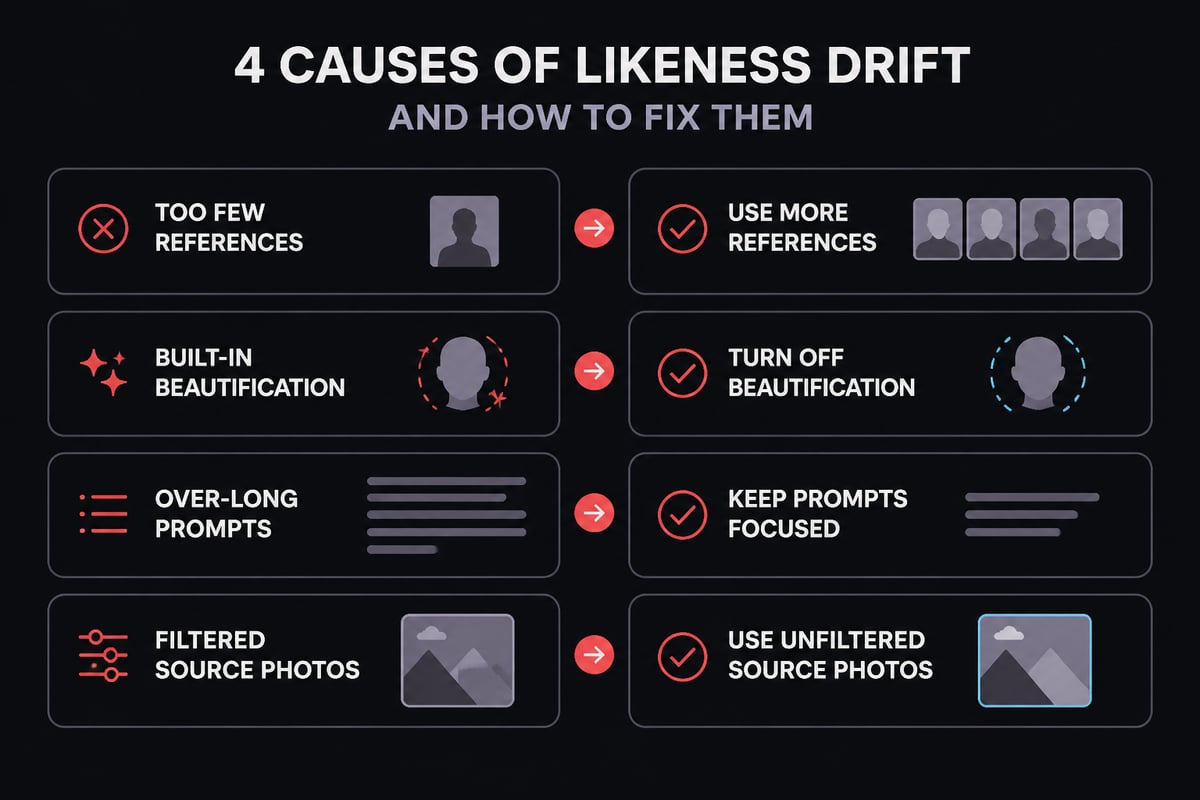
Common causes of likeness drift include:
- Too few or inconsistent references. One selfie gives the model one angle and one lighting condition to learn from.
- Beautification built into the tool. Some generators smooth skin, slim faces and soften features by default, because those results look appealing at a glance.
- Prompt over-direction. Long stylistic prompts compete with the reference, and the style often wins.
- Heavy filters on the source photos. If your uploads are already retouched, the model learns the retouched version.
For a dating profile, drift is a practical problem and not only an aesthetic one. A photo that flatters in ways your face does not will set up a mismatch on the first date. The goal is a believable photo of you, not an improved one.
How do reference photos keep a face consistent?
Reference photos give the model a visual record of your face, which it reuses across scenes so the same person appears in each result. Adobe's guidance on generating realistic photos in Firefly describes using a portrait reference image to help keep the same person's face consistent across generated scenes.
Two ideas are worth separating here. A face reference anchors identity. A style reference guides look and feel, such as color, texture and lighting. Adobe's explanation of using a reference image covers the style side and notes that you need rights to any image you upload.
Most tools also offer a control for how tightly the output follows the reference. In Adobe Firefly, the Style reference Strength slider works this way: moving it right increases adherence, while moving it left allows more variation. For likeness work, the practical lesson carries over to any tool. When fidelity matters more than novelty, favor adherence over variation.
Which photos should you upload for the best likeness?
The best reference set is varied in angle, expression and lighting, yet consistent in who is in the frame and how you currently look. A small set of clean, recent, unfiltered photos outperforms a large set of mixed quality.
Use this checklist when preparing uploads:
- Recent: photos from the last year or so, so the output reflects your current face, hair and build.
- Unfiltered: no beauty modes, no smoothing, no heavy color grading.
- Varied angles: front-facing, three-quarter and profile views.
- Varied expressions: a relaxed face, a natural smile, a laugh if you have one.
- Varied light: daylight, indoor light and shade, so the model does not learn one lighting condition as part of your face.
- Only you: crop out or avoid photos with other people near your face.
- Sharp focus: blurry or heavily compressed images lose the fine detail that defines likeness.
If a photo needs trimming before upload, a simple crop tool handles that without altering your features. Avoid retouching apps for this step. The model should see your face as it is.
How do you write prompts that support likeness instead of fighting it?
Effective likeness prompts describe the scene and the framing, and leave the face to the reference photos. Keep prompts short, concrete and focused on setting, light and composition.
A useful structure has four parts:
- Setting: a rooftop bar, a trailhead, a farmers market, a coworking space.
- Light: late afternoon sun, overcast daylight, warm indoor light.
- Framing: waist-up, candid mid-laugh, walking toward the camera.
- Context: what you appear to be doing, since action reads as more natural than posing.
Avoid describing your own face in the prompt. Phrases such as "flawless skin" or "sharp jawline" invite the model to override the reference. Avoid style stacks like "cinematic, ultra-detailed, studio-grade, 8K" for the same reason, because they pull toward the glossy look that undermines trust in a dating photo.
Hypothetical example: a prompt like "casual photo at an outdoor cafe table, afternoon light, mid-conversation, looking slightly off camera" will usually produce a more believable result than a long list of quality descriptors.

What separates a believable photo from an obviously AI one?
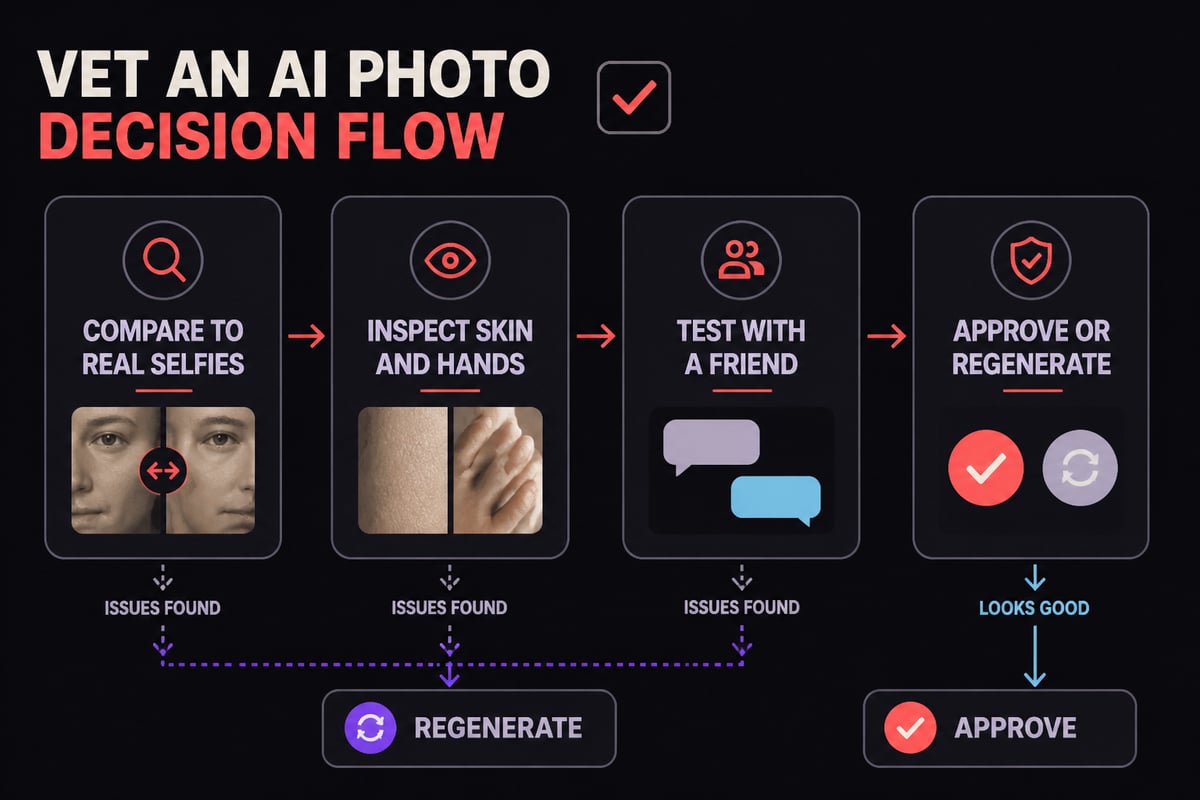
A believable AI photo has plausible scenes, natural imperfections and consistent small details. Tells of an artificial image include waxy skin, overly symmetrical faces, dreamy backdrops with no identifiable place, and errors in hands, text or jewelry.
Check each result against this table before using it:
| What to inspect | Looks authentic | Looks artificial |
|---|---|---|
| Skin | Visible pores, natural texture | Uniform, airbrushed sheen |
| Eyes | Slightly asymmetric, natural catchlights | Perfectly matched, glassy |
| Background | A recognizable kind of place, some clutter | Blurred glow with no real setting |
| Hands | Correct finger count, natural grip | Merged or extra fingers |
| Text on signs | Legible or plausibly out of focus | Garbled letters |
| Likeness | Friends would recognize you instantly | Looks like your cousin, not you |
The last row is the decisive test. Show the result to someone who knows you well and ask whether it looks like you on a good day. If the answer hesitates, the generation drifted.
How should singles use ai image gen for dating profiles?
For dating, use AI-generated photos to show your real appearance in varied, believable settings, and keep the results faithful enough that you would look the same on a first date. The purpose is to fill gaps in your photo library, not to create a different person.
Many people have plenty of selfies but few good photos of themselves doing things: traveling, socializing, being active. Generation can fill those gaps with scenes that suit your actual life. A sensible set for a profile might include one clear face-forward image, one full-body shot, one activity photo, one social setting and one travel scene.
A few rules keep this honest and effective:
- Keep your age, build and features as they are.
- Match scenes to things you genuinely do or would do.
- Pair AI photos with at least some unedited photos of your own.
- Refresh the set when your appearance changes.
For deeper tactics on selection and ordering, CMeIn's guides on the best dating profile pictures and lifestyle photos for dating profiles cover what tends to earn attention and trust.
How should professionals use AI-generated photos for work profiles?
Professionals should use generated photos where a polished but accurate image is needed, such as a LinkedIn profile, a team page or a speaker bio, and should keep the result close to how they appear in meetings. Clients and colleagues form a first impression from the photo and then meet you in person, so accuracy protects credibility.
Aim for a clean headshot with natural expression, modest lighting and a neutral or lightly contextual background. Avoid dramatic crops, heavy color grading or backgrounds that look like a movie set. If the platform shows your photo at thumbnail size, check that your face reads clearly when small.
For this use, a dedicated AI headshot generator built around your reference photos is a more reliable fit than a general text-to-image app. It starts from your real face rather than from a description. CMeIn's overview of AI business photo generators explains what to look for when choosing one.
What should you check about privacy and disclosure?
Check how a service stores your uploads, whether it trains models on them, and what the platform you post to expects about synthetic images. Your face is biometric-adjacent personal data, so the privacy terms deserve the same attention as the image quality.
Questions to ask before uploading:
- Are uploads private by default?
- Are they ever used to train models?
- Can you delete them?
- Is pricing based on a subscription or on what you generate?
On the broader policy side, NIST's April 2025 report describes methods for detecting, authenticating and labeling synthetic content, including digital watermarking and metadata recording. Its Generative AI Profile was produced with input from a public working group of 2,500 participants and addresses 13 risks with more than 400 suggested risk-management actions. These documents signal that labeling and provenance practices are becoming normal expectations. Read each platform's rules on AI-generated content, and be honest with matches or employers if asked how a photo was made.
One boundary is firm: only generate images of yourself. Using another person's face is unethical and often against both platform rules and applicable law.
How does CMeIn approach likeness photos?
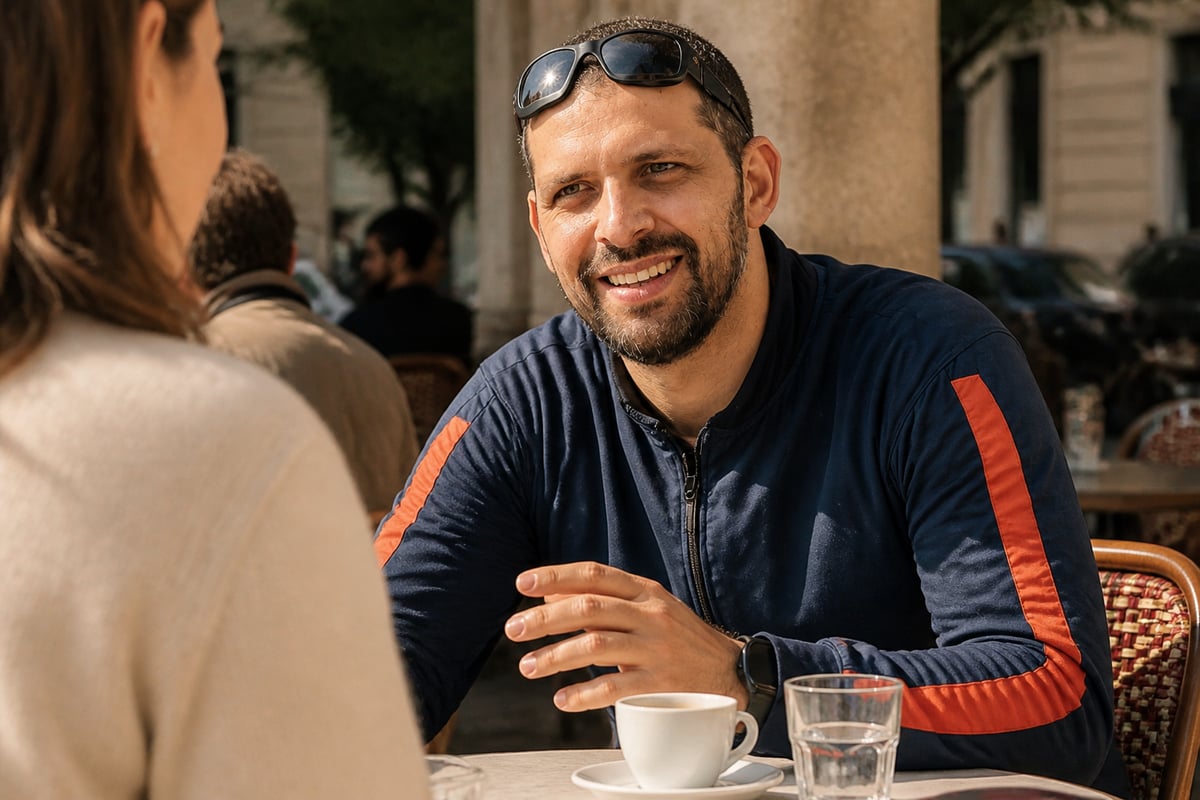
CMeIn is built for people who want photos that look like them, in believable places, without being altered into someone more polished. CMeIn's AI photo service places you at the center of social-style scenes while keeping your face as it is, with no smoothing, slimming or beautifying. Scenes use real places and candid framing rather than studio backdrops, which suits dating apps, LinkedIn and Instagram alike.
Uploads are private by default and never used to train models. Payment works through a credit pack with no subscription, so you pay only for what you generate; details are on the pricing page. CMeIn is not a fit if you want a smoothed, slimmed or younger-looking version of yourself, or if you want to use someone else's face.
What mistakes should you avoid with ai image gen?
The most damaging mistakes are uploading poor references, prompting for a better face, and publishing without a likeness check. Each one leads to photos that look impressive but fail the moment someone meets you.
- Treating the tool as a retouching app. Asking for flawless skin or a younger look breaks the purpose of a likeness photo.
- Using one reference photo. A single image gives the model too little to hold your identity across scenes.
- Skipping the friend test. You judge your own face too generously. A second opinion is faster than a bad first date.
- Mixing too many styles. A profile with five different looks reads as inconsistent.
- Ignoring file hygiene. Oversized or heavily compressed images load poorly on apps; an image resizer fixes dimensions without touching your face.
- Overlooking platform rules. Check each app's policy on synthetic images before posting.
For a wider view of how realistic generation compares across approaches, CMeIn's piece on AI photos that look authentic is a practical companion.
Pull together five to eight recent, unfiltered photos of yourself with varied angles and lighting, and write down three real scenes from your life that you would want in a profile. Then try them with CMeIn AI photos that look like you, which keeps your face as it is across those scenes. When you are ready, start with your photos and see how a faithful likeness holds up on a dating app or LinkedIn.