AI Photo Guide: Make Realistic Photos of Yourself
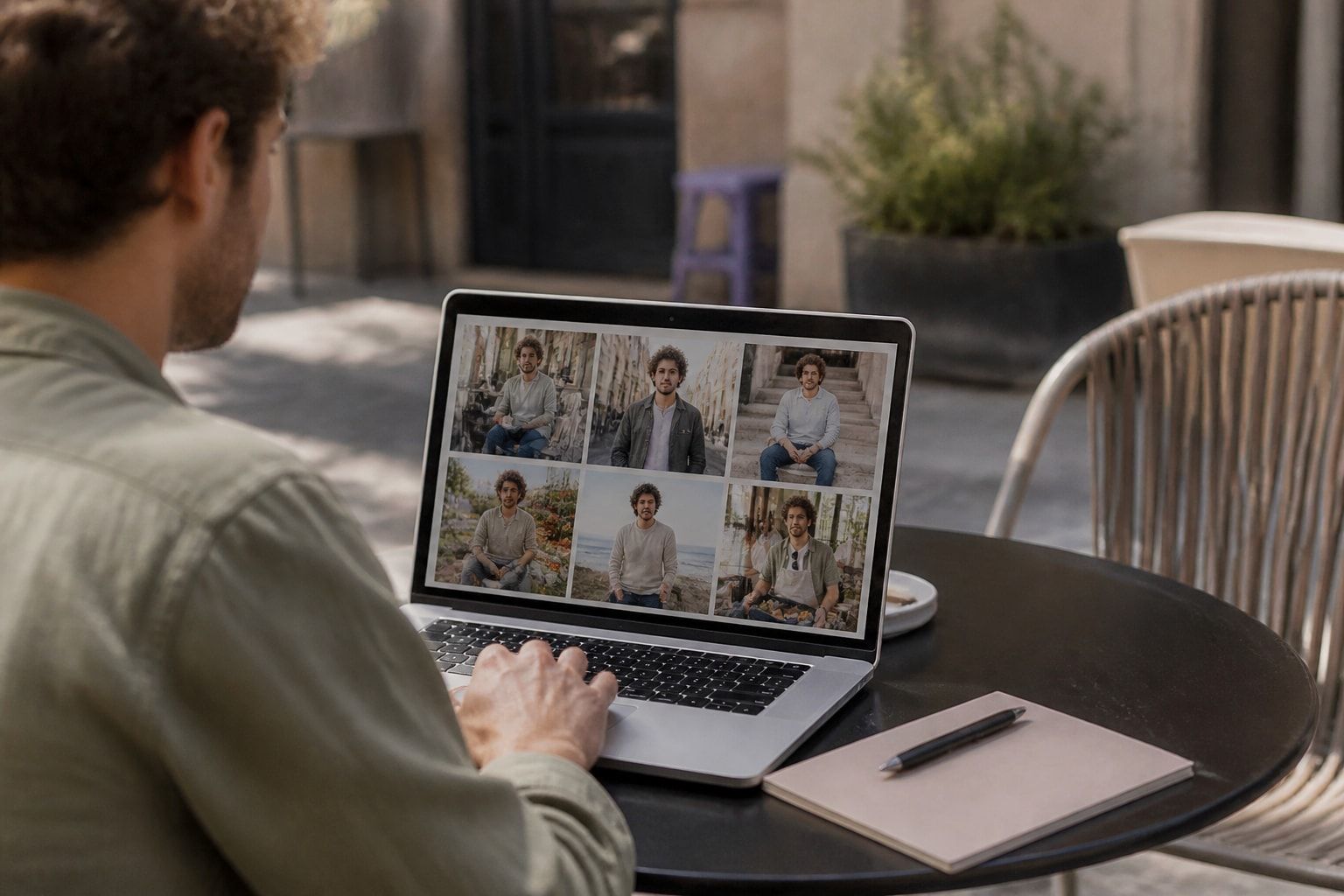
Photos AI refers to software that generates or edits images of people from reference photos and text instructions, and the best use of it is making pictures that still look like you. For singles and professionals, the goal is not a flawless stranger but an accurate, current image placed in a setting that suits the platform. This guide covers how the technology works, how to prepare your inputs, how to judge the output, and where the risks sit.
What Photos AI Actually Does
Photos AI tools take a small set of your real pictures and use them to produce new images of you in scenes you never photographed. The scene might be a coffee shop, a hiking trail, a conference stage, or a street in a city you have not visited.
Most services fall into three groups:
- Text-to-image generators. You describe a scene in words and the model invents a person. These are useful for illustration but unreliable for accurate likeness.
- Photo editors. These alter an existing picture by swapping backgrounds, removing objects, or adjusting light. Your face stays mostly untouched, but you are limited to the photo you started with.
- Likeness-based generators. You supply reference photos, and the system builds new images that keep your face consistent across different scenes.
The third group is the one that matters if you want pictures for a dating profile or a professional page. It is also the group where quality varies most, because keeping a real face accurate is harder than generating a plausible one.
Why Realistic Likeness Matters More Than Polish
A realistic AI photo is one that a person who meets you would recognize instantly, and that standard is stricter than looking attractive or professional. On a dating app, the first meeting is a direct comparison between the profile and the person at the door. On LinkedIn, a recruiter or client may meet you on video within days of viewing your headshot.
Detection is also harder than most people assume. In a University of Waterloo study, 260 participants judged 20 unlabeled images, 10 of real people and 10 AI-generated, and only 61% correctly told real from AI-generated. The researchers had expected an accuracy of 85%. Participants in that study were often fooled by generated images, which is why the result matters for anyone sharing them.
That finding cuts two ways. It means a well-made image will not be flagged by eye. It also means the burden of honesty falls on you, because viewers cannot reliably protect themselves. The responsible approach is to generate images that represent your real face, so that no one is misled when they meet you.
How to Choose the Right Reference Photos
Your reference photos set the ceiling for the results, so the selection step deserves the most care. A generator can only reproduce what it can see clearly and consistently.
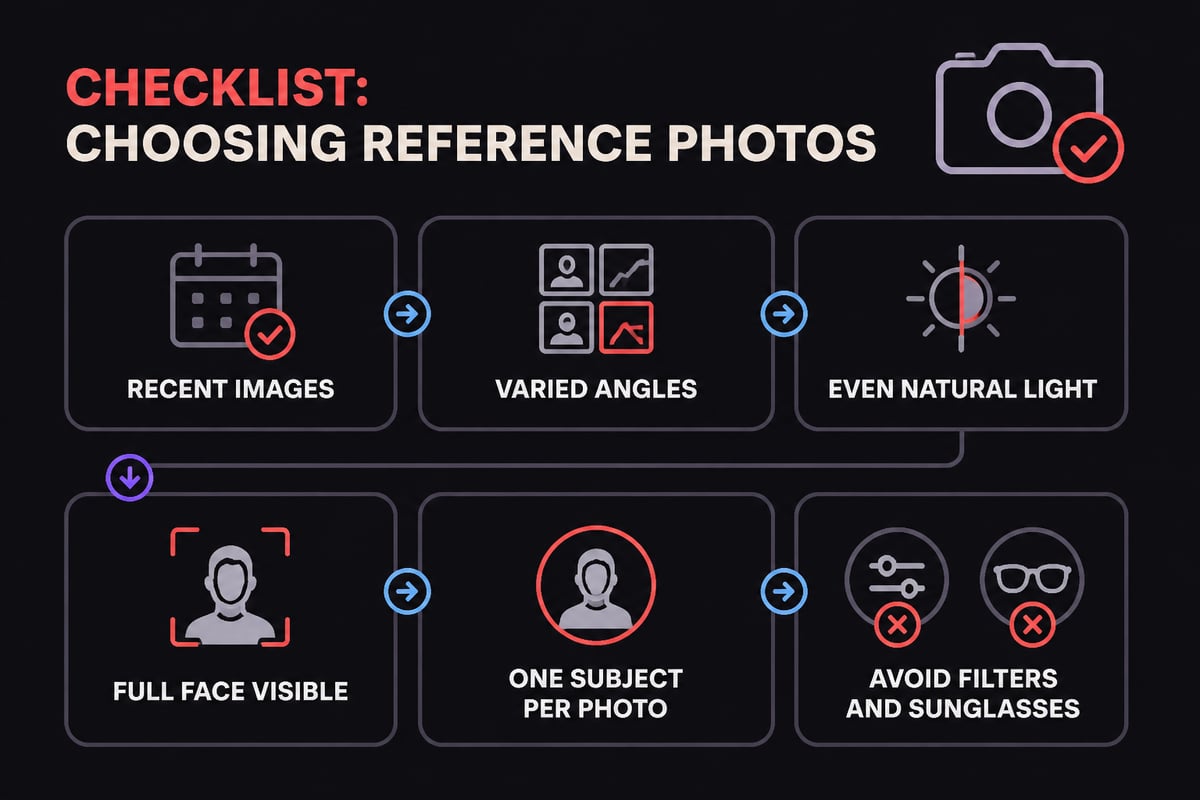
Follow these steps before you upload anything:
- Pick recent images. Use photos from the last year or two, since hair, weight, facial hair and skin change over time. A guide on how old dating profile photos can be covers the reasoning in detail.
- Vary the angles. Include a straight-on shot, a three-quarter view from each side, and at least one smiling and one neutral expression.
- Use even light. Daylight in the shade works well. Harsh flash, heavy filters and strong backlighting distort features the model then copies.
- Show your face fully. Skip sunglasses, hats pulled low, and group shots where your face is small or partly hidden.
- Keep one subject. Crop out other people so the system does not blend their features into yours.
If you have tattoos, scars, or distinctive features, include photos where they are visible. A short piece on AI photos when you have tattoos explains why those details sometimes disappear and how to guard against it.
Writing Prompts That Keep Your Face Intact
Good prompts describe the scene and the framing, and they leave your appearance alone. The more you instruct the model to change how you look, the more likely it drifts from the person in your references.
Effective prompt elements include:
- Setting: a specific, ordinary place such as a farmers market, a lakeside path, or an office lobby.
- Light and time of day: soft morning light, overcast afternoon, golden hour.
- Framing: a candid half-body shot, a seated portrait, a wide shot with the subject off-center.
- Clothing: what you would realistically wear to that setting.
Avoid words such as "flawless," "perfect skin," "younger," or "model-like." Those terms invite smoothing and reshaping, which is exactly the drift you are trying to prevent. For deeper technique, this walkthrough on how to write prompts for AI photos breaks down wording choices.
Common Flaws in AI Photos and How to Spot Them
Even strong results contain errors, and you should check every image before publishing it. Most flaws fall into a short list of repeating patterns.
| Flaw | What to look for | Why it matters |
|---|---|---|
| Skin smoothing | Pores and fine lines missing, plastic texture | Makes you look different from in person |
| Body changes | Shoulders, waist or height subtly altered | Creates a mismatch on a first meeting |
| Added details | Jewelry, tattoos or accessories you do not own | Misrepresents you directly |
| Tone shifts | Skin color lighter or darker than real life | Alters identity cues |
| Hand and text errors | Extra fingers, garbled signs or logos | Signals a generated image |
| Age drift | Looking older or younger than your references | Undermines trust |
Several of these have dedicated explanations, including AI photos that changed a body, AI photos that changed skin tone, and AI photos that added things that aren't there. The practical test is simple: place the result next to a recent unedited photo and ask whether a stranger would match them in two seconds.
Using Photos AI for Dating Profiles
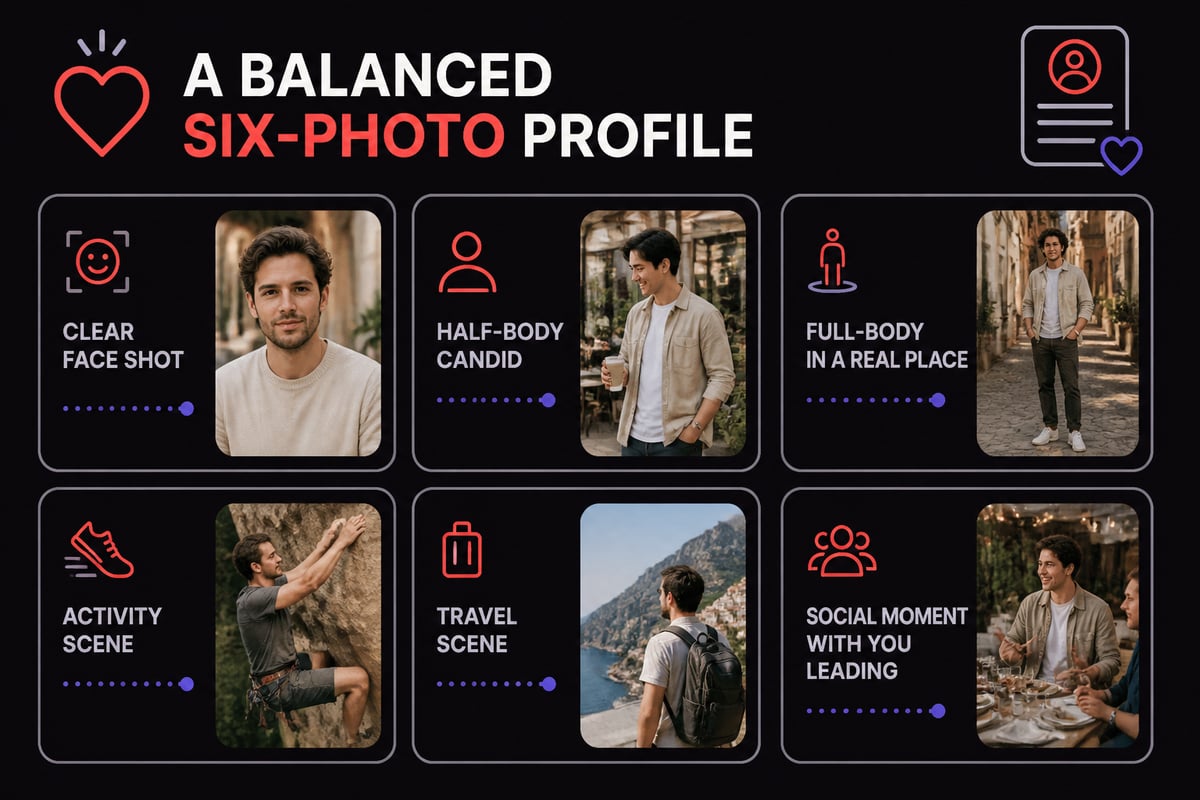
For dating apps, the best AI photos show you in believable, everyday situations that signal your personality without exaggerating your looks. A profile built entirely from studio-style portraits tends to feel distant, while candid framing in real-looking places reads as warm and approachable.
A balanced set usually includes a clear face shot, a full-body or half-body image, and two or three activity or travel scenes. Guidance on what photos work best on dating apps and lifestyle photos for a dating profile can help you decide what to include.
Platform rules are worth checking too. Policies differ by app, and some verify profiles with a live selfie, so a generated image must match your real face closely to pass. Reading about whether AI photos are allowed on dating apps and whether they pass a face check will save you from a surprise removal.
Using Photos AI for LinkedIn and Work Profiles
For professional use, a realistic AI headshot should look like a good photograph you could have taken last month, with plain light, a neutral background, and attire that fits your field. Over-processing hurts here, because colleagues and clients will compare the image to your face on video calls.
Choose a headshot where your expression is calm and direct, and keep the framing tight enough that your face is the focus. If you are weighing cost and effort, comparing AI photos with a photographer clarifies where each approach fits.

Privacy, Consent and Data Handling
Before uploading a face to any service, confirm what happens to those images, since they are among the most personal data you can share. Ask whether uploads are stored, for how long, and whether they are used to train models that serve other customers.
Regulators are paying attention. Australia's privacy regulator notes that photographs and recordings of individuals, including artificially generated ones, may contain sensitive information, and that consent may be required to use them as AI inputs. The same guidance says that generating or inferring personal information, including images, with AI counts as collecting personal information.
The practical rules for you are straightforward:
- Upload only photos of yourself. Using another person's face is a privacy and consent problem, and it is not something a responsible service should support.
- Read the retention and training policy before you pay.
- Prefer services that keep uploads private by default.
More detail on this topic appears in a piece on what happens to photos you upload.
Is It Ethical, and Will It Count as Catfishing?
Using AI photos is ethical when they depict your real face and body accurately, and it becomes deceptive when they alter how you look. The line is whether the person who meets you would feel misled. A photo of you in a place you did not visit is a different matter from a photo that makes you appear a decade younger or several sizes smaller.
Plenty of people use AI to fill gaps in a thin photo library, which is a reasonable goal. Discussions of whether AI dating photos are catfishing and whether it is ethical to use them land on the same principle: accuracy of likeness is the test, and disclosure is a personal judgment you can make based on context.
If you want a retouched, slimmer, or younger-looking version of yourself, photos AI is not the right tool, and that approach tends to backfire the moment you meet someone in person.
Where CMeIn Fits
CMeIn is built around that likeness-first standard. It generates realistic AI photos from your own reference images, keeps your face as it is with no smoothing, slimming or beautifying, and places you in real locations with candid framing rather than studio backdrops. The results work across dating apps, LinkedIn and Instagram.
The CMeIn AI photos that look like you service focuses on social composition, with you leading inside a moment people want to be part of. You can review how credits work on the pricing page, and the results work across dating apps, LinkedIn and Instagram.
How to Check Your Results Before You Publish
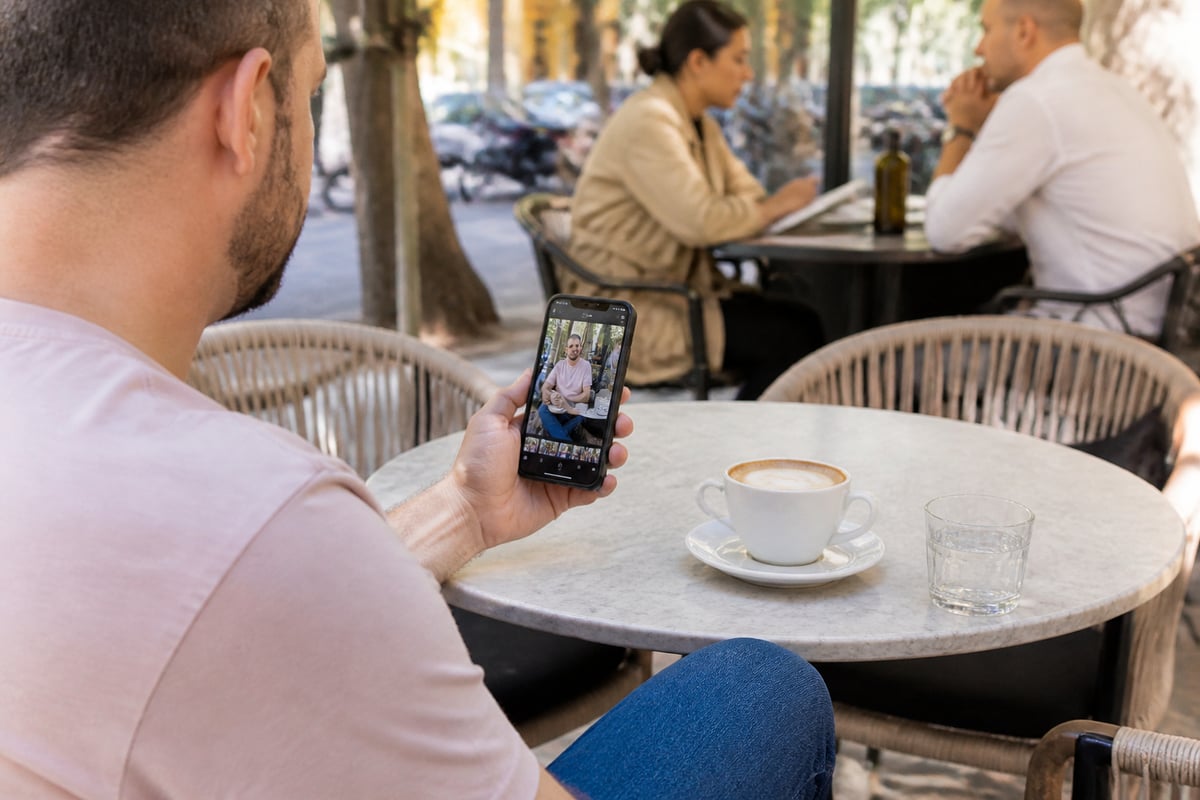
A short review routine catches most problems before anyone else sees them. Run through it on every image you plan to use.
- Compare against a real photo. Put a recent unedited picture beside the result and check face shape, eyes, nose, jawline and hairline.
- Zoom in. Look at hands, teeth, ears and any text in the background.
- Check for additions. Confirm that jewelry, tattoos, watches and clothing match what you actually own.
- Ask a friend. Someone who knows you well will flag a "not quite you" image faster than you will.
- Count the keepers. Not every output will be usable, and a realistic expectation helps. A note on how many AI photos are usable sets reasonable benchmarks.
Seeing samples before paying also reduces risk, which is why previewing AI photos before you pay is a sensible habit with any provider.
Frequently Asked Questions
Can photos AI make me look exactly like I do in person?
It can come close when you supply good reference photos and avoid prompts that ask for improvements. Accuracy depends on the service and the inputs, so always compare results to a recent real photo.
How many reference photos should I upload?
Requirements differ by provider, so check the instructions of the service you use. As a general principle, a small set of clear, varied, recent images outperforms a large set of blurry or filtered ones.
Will people be able to tell the images are AI?
Often not, given that the Waterloo research found only 61% accuracy among participants. That is exactly why accuracy of likeness matters: a convincing image that misrepresents you creates a problem the moment you meet.
Can I use photos of someone else?
No. Using another person's face raises consent and privacy concerns, and it is not an appropriate use of these tools.
Are AI photos safe to use on every platform?
Policies vary by platform, and some verify profiles against a live selfie. Review each platform's rules before you publish.
Making the Most of Your Photo Set
A strong photo set mixes AI-generated images with a few genuine ones, so your profile reads as natural rather than uniform. Real candid snapshots add texture, and generated scenes fill the gaps you could not photograph yourself. Posing well in your own reference shots still pays off, and a guide on how to look confident in photos and another on how to pose for photos help you capture better source material.
Keep the set current. Replace images when your look changes, and retire anything that no longer matches the person who shows up. A photo that is accurate today builds trust, and trust is what turns a good profile into a good first meeting.
Pick five recent, well-lit photos of yourself from different angles and set them aside, because strong inputs decide the quality of everything that follows. From there, CMeIn can build realistic images from them through its AI photos that look like you service, keeping your face unretouched and placing you in real settings. If you want results that match the person people will actually meet, start with your photos.