Makeup try-on · Free
Try makeup on your own photo
Upload a photo and try lip colour, eyeshadow, lashes, foundation, contour and blush on your real face. We match your skin tone from the photo, you choose every shade, and nothing leaves your device.
Choose a photo
- Your photo never leaves your device
- No account, no daily limit
On your phone or with AI
The same look on the same photo, done both ways. The phone version colours your real photo instantly and never uploads it. The AI version looks more like real makeup, takes about a minute, and sends the photo, so we ask first.


Sheer tint, soft eyeshadow, blush

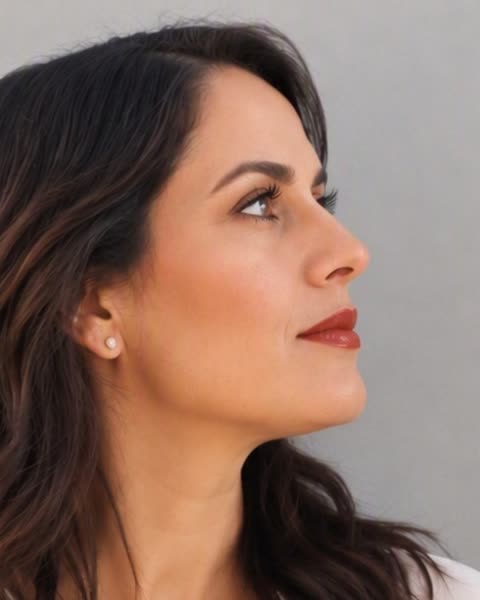
Bold lipstick, lashes, contour


Plum eyeshadow with a wing, berry lips
How the makeup try-on works
Choose a clear photo of one face looking toward the camera. The tool finds your face on your own device, maps your lips, eyelids, brows and cheeks, and reads your skin from the forehead and both cheeks.
Your skin is matched to one of ten tones, from very light to very deep. Foundation, concealer, contour, bronzer and highlighter follow that tone automatically. If the match is not right for you, tap another tone and every skin shade changes with it.
Then build the look one product at a time. Every change shows on your photo straight away, and you can hold the photo to see yourself without makeup and compare.
What you can try
Lips: a sheer tint close to your own lip colour, or an opaque lipstick with liner and gloss, and up to 7% fuller lips if you want them. There are fourteen lip shades, because lip colour does not depend on skin tone.
Eyes: eyeshadow in twelve shades, with a deeper crease, a winged flick and a darker lash line. You can put it on one eye only, to compare the two sides of your face.
Lashes and brows: mascara, eyeliner, fuller false lashes, and brows filled in a shade that matches your hair.
Skin: foundation or BB cream in three coverage levels, concealer under the eyes, and cover for blemishes. Sculpt: contour under the cheekbones, bronzer on the temples, and highlighter on the cheekbones and the bridge of the nose. Glow: blush in twelve shades, a healthy glow, and a light tan.
Your photo stays on your device
The try-on runs entirely in your browser. The face finder is downloaded once, about 3.7 MB, and after that every change is instant. Your photo is not uploaded, not stored and not added to any gallery, and there is no daily limit.
When you are happy with the look, download it as a JPG. You do not need an account.
The AI version, if you want it
The try-on colours your real photo, which keeps your face exactly as it is. If you want the look to read as real makeup on skin, you can ask our AI to redraw it with the same shades you chose. That is optional and only happens if you choose it.
Before anything is sent we ask for your permission, because the AI version does send your photo to our AI provider. There is a free allowance every day; after it, a render costs the same as one photo. Without an account your photo and result are deleted after 24 hours.
Common questions
Is the makeup try-on free?
Yes. The try-on runs on your device and has no limit. Only the optional AI version has a daily free allowance, and after it a render costs the same as one photo.
Is my photo uploaded?
Not for the try-on. It is processed in your browser and never leaves your device. Your photo is only sent if you choose the AI version and agree to it first.
How is my skin tone chosen?
We read the colour of your forehead and cheeks from the photo and pick the nearest of ten tones from very light to very deep. You can change it with one tap, and foundation, concealer and contour follow your choice.
Will it change the shape of my face?
No. The try-on only adds colour to your own photo, so your eyes, nose and lips keep their shape. The one exception is fuller lips, which you choose yourself and which is capped at 7%.
What photo works best?
One person, facing the camera, in daylight, with the face filling at least a fifth of the photo. Sunglasses, heavy shadow or a face in profile make the lips and eyes hard to find.
Can I use it on my phone?
Yes. It works in the browser on iPhone and Android, and you can take a selfie straight from the page.
Related tools
Free, and most of them run in your browser, so the photo never leaves your device. All free tools
- Rotate and flipFreeTurn it, mirror it, straighten it
- Blur imageFreeHide a face, a plate, a detail
- Add textFreeA caption, a title, a few words
- Photo editorFreeCrop, rotate and adjust in one place
- HEIC to JPGFreeiPhone photos anything can open
Follow CMeIn