Remove the Background From a Photo of You
Upload a photo and everything behind you is removed. You get a transparent PNG of yourself, exactly as you were in the photo: same face, same clothes, same pose.
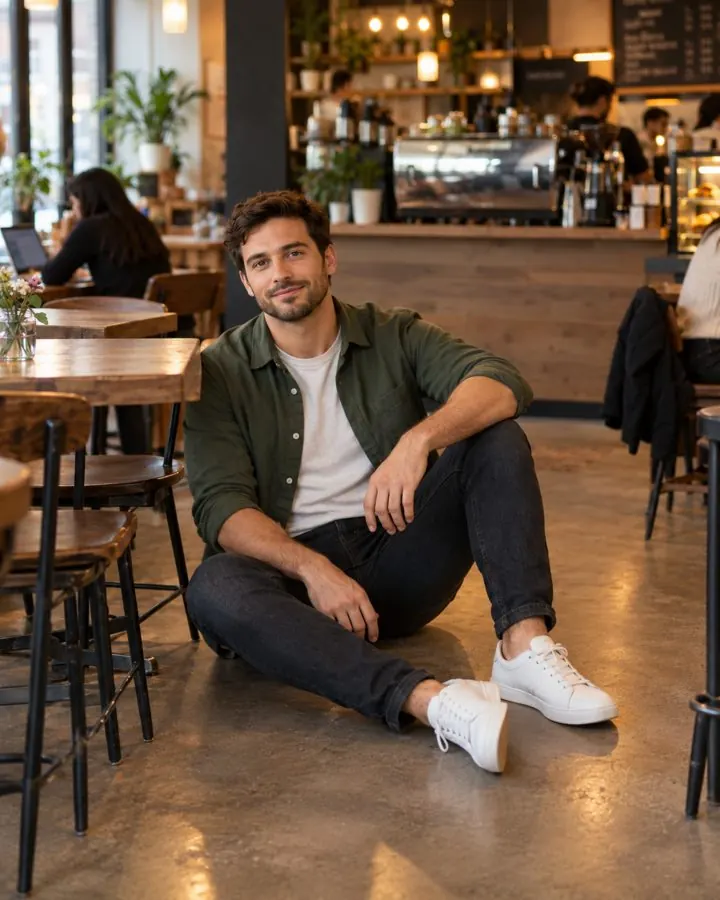
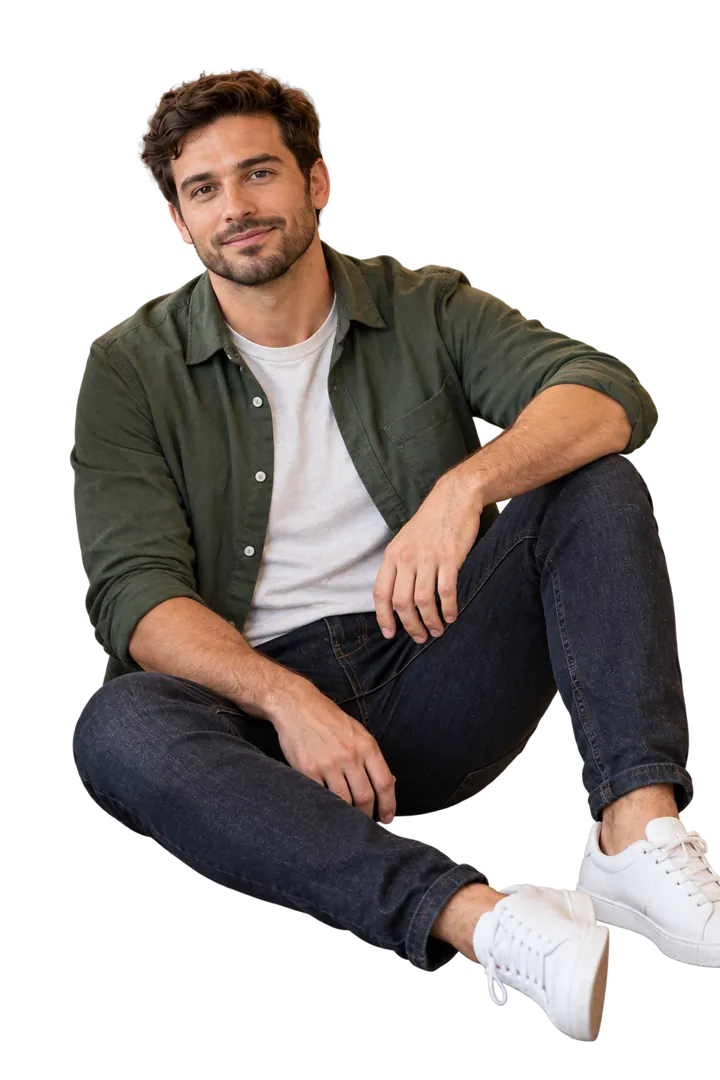
What people use it for
A profile picture. Take yourself out of a cluttered photo and put yourself on a clean colour for LinkedIn, WhatsApp, Slack or a team page.
A layer for video. A transparent cutout drops straight into HeyGen, CapCut, Canva or a slide as its own layer, so the background behind you can be anything, or move.
Presentations, flyers and certificates. A cutout with no white fringe sits on any colour without a box around it.
Dating and social photos. Lift yourself out of a busy shot and place yourself somewhere that says more about your life.
Where it does better than a cutout tool
Classic background removers, the kind built into phone galleries and most free websites, draw a line around whatever looks like the foreground. On a clean product shot that is fast and good. On a photo of a person in a real place it falls apart: a stranger behind you becomes part of your shoulder, a chair leg stays attached to your knee, and hair turns into a hard edge.
This tool works the other way. An image model looks at the whole photo, decides who the main person is, and redraws only them on a transparent background. Busy cafes, crowds, people sitting down and people standing next to someone else are exactly the photos it is for.
The honest trade: for a product on a white table, a classic cutout tool is quicker. This one is built for photos of people.
Fix your pose in the same edit
Switch on 'Also fix my pose' and the photo is measured before anything is made. You see exactly what would change, for example putting your weight on one leg or turning the torso off square, and both changes happen in one pass. The fixes come from Pose Maxing, our tool for correcting the pose in a photo you already have.
How it works
Choose a photo of you. A whole body or from the waist up both work.
If you want, switch on the pose fix and read what it will change.
Start it. The result takes about a minute.
Download a PNG with a real transparent background, ready to place on anything.
Common questions
Is it free?
Yes, while the free promotion runs. Without an account you get one free photo; signed-in users get a few a day. When the day's free photos are used up, a signed-in user pays the usual price and a visitor can sign up to keep going.
What file do I get?
A PNG with a real transparent background, so it sits on any colour, slide or video with no white box around it.
Will my face or body change?
It is not meant to. The person is redrawn without retouching: no smoothing, slimming or reshaping. With an account you can add a few photos of yourself, which helps the result keep your likeness.
Does it work on a group photo?
It keeps the main person and removes everyone else, including people standing next to them. If you need the whole group, this is not the right tool.
Why is the result framed a little differently from my photo?
The result is always a 1024 by 1536 portrait, so a photo with different proportions comes back slightly reframed. The person is the same; the crop around them can change.
What happens to my photo?
Photos are processed by Azure OpenAI and OpenAI to make the edit and are not used to train models. Without an account, the photo and the result are deleted after 24 hours.